Report on your contracts
Read the overview, value, cycle time, approver and clause reports, download them and have them emailed to you on a schedule.
The reports
Open Reports from the sidebar. Every number counts only contracts you may see, so two people can see different figures. Choose a tab:
- Overview: what was signed, what is in progress and what is due, at a glance.
- Contract value: the value of your contracts in each currency and value type.
- Cycle time: how long contracts take from request to signature, and where the time goes.
- Approvers and SLA: how quickly each approver and workflow step responds, and which steps were late.
- Clause deviations: where contracts use fallback or non-standard wordings of your library clauses.
Each figure opens the list of contracts it counts.
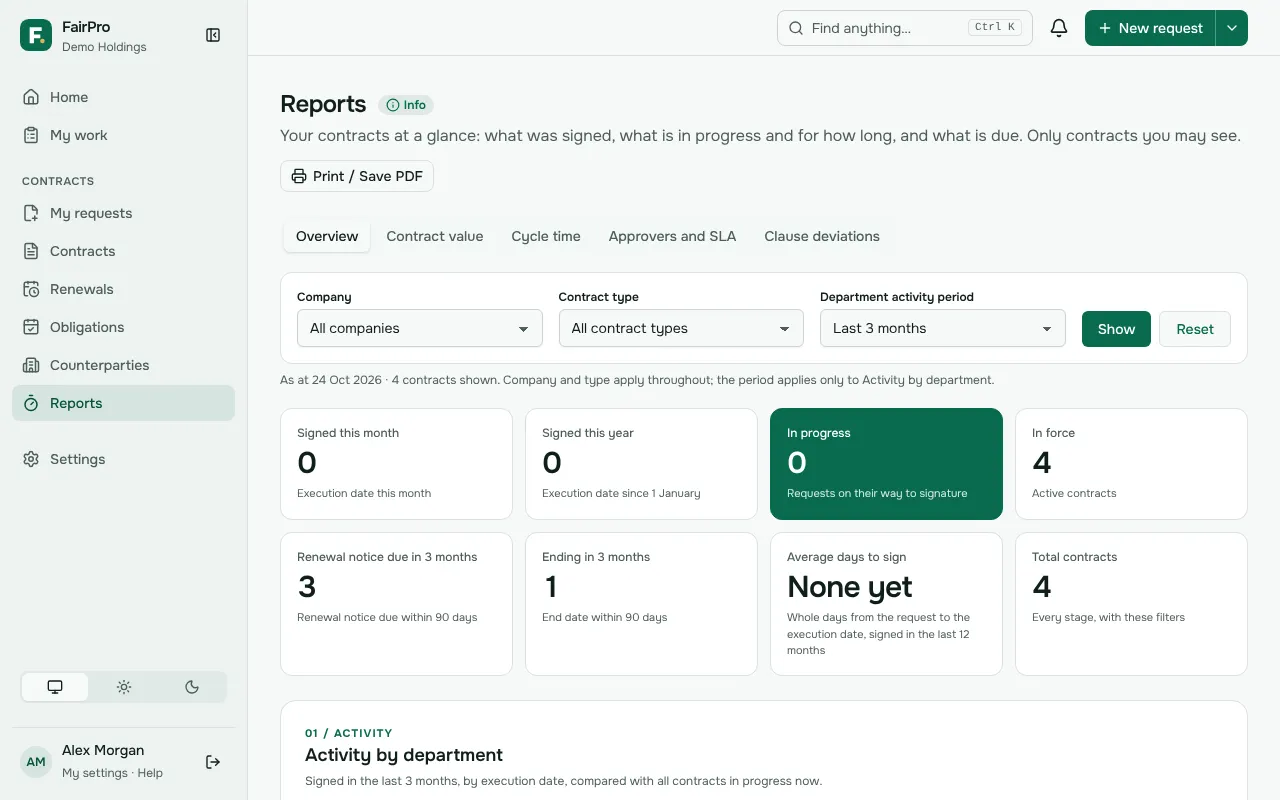
Filters and printing
Company and Contract type apply to the whole Overview page. The period applies only to activity by department.
The filters are part of the page’s address, so you can bookmark a view. Anyone who opens it still sees only the contracts they may see.
Some charts can be shown two ways. View figures shows a chart’s numbers as a table. Print / Save PDF prints the page as you have set it.
Reading cycle time and value
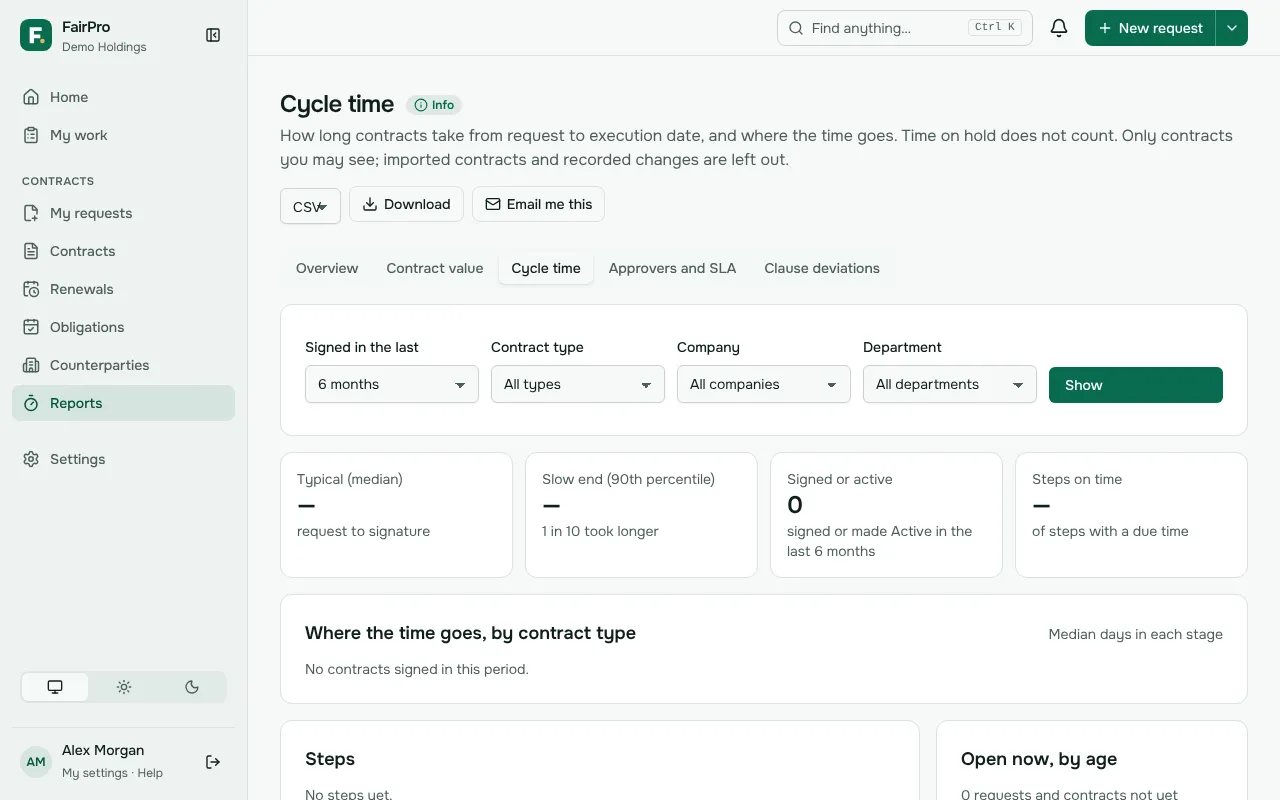
Cycle time times each contract signed in the period from the day its request was submitted to its execution date, the last signature. Typical is the median: half took less time and half took more. Slow end is the time that 1 in 10 contracts took longer than. Time on hold does not count.
Contract value gives each currency its own total and never converts between currencies. Fixed totals, amounts per year, amounts per month and estimates are added up separately, so a monthly fee is never added to a fixed price.
Approvers and SLA counts response time in working hours, on your organisation’s working days and public holidays. A step finished after its due time is an SLA breach.
Download a report
If your role may export reports, Contract value, Cycle time, Approvers and SLA and Clause deviations each have a download.
- Choose CSV, Excel or PDF.
- Choose Download.
Excel holds every table of the report, one sheet each. CSV holds the rows behind the report, such as one row per contract. A PDF shows up to 1,000 rows in each table. Each download is recorded in the audit log.
Have a report emailed to you
- On Contract value, Cycle time or Approvers and SLA, choose Email me this. Or open Scheduled reports.
- Under Schedule a report, choose the Report, How often and the File type.
- For a weekly or monthly report, choose the day.
- Choose Schedule.
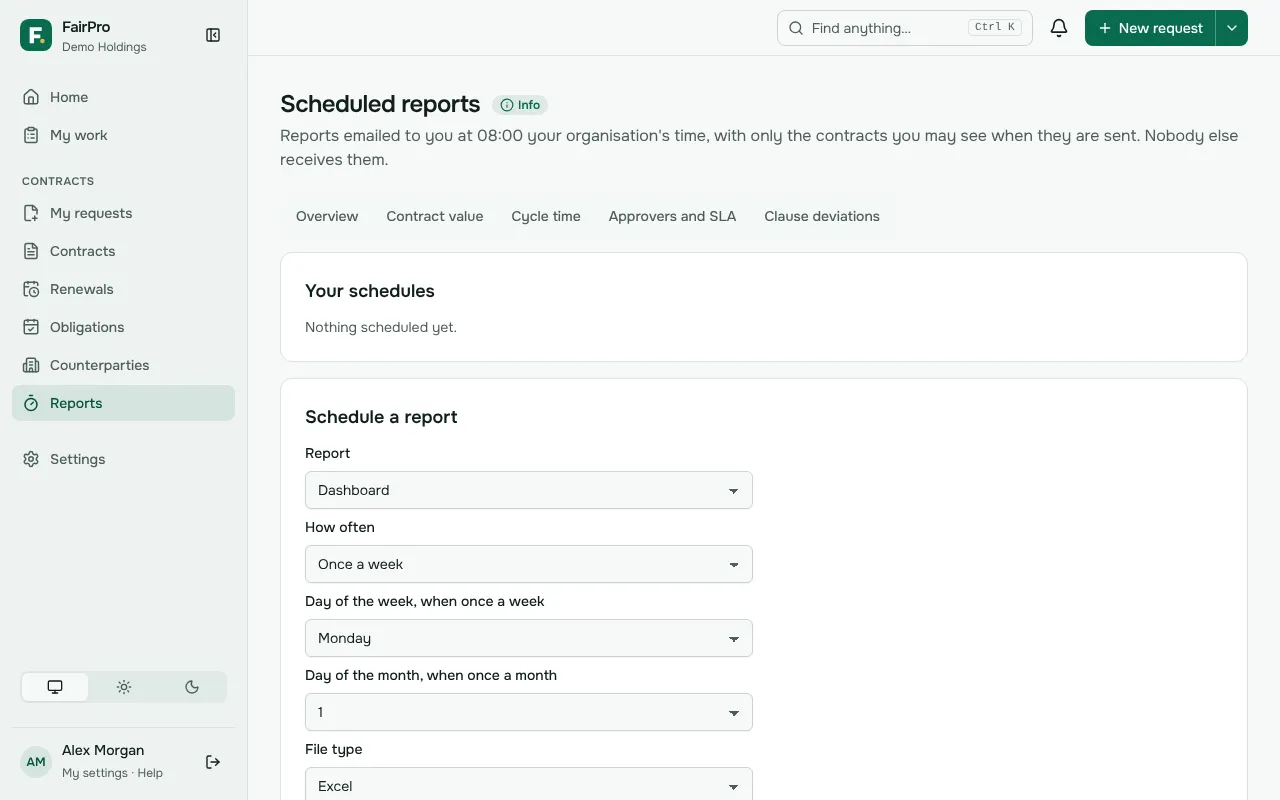
The report is made when it is sent, at 08:00 your organisation’s time, with only the contracts you may see then. It is emailed to you alone. A report too large to attach comes as a link.
Open a schedule under Your schedules to change it, pause it or choose Remove schedule. If you can no longer download reports, or your account is deactivated, FairPro pauses your schedules.