Ask for a new contract
Fill in the request form, choose who drafts it and send it with Assign. Save it as a draft to finish later, and send it again if it comes back to you.
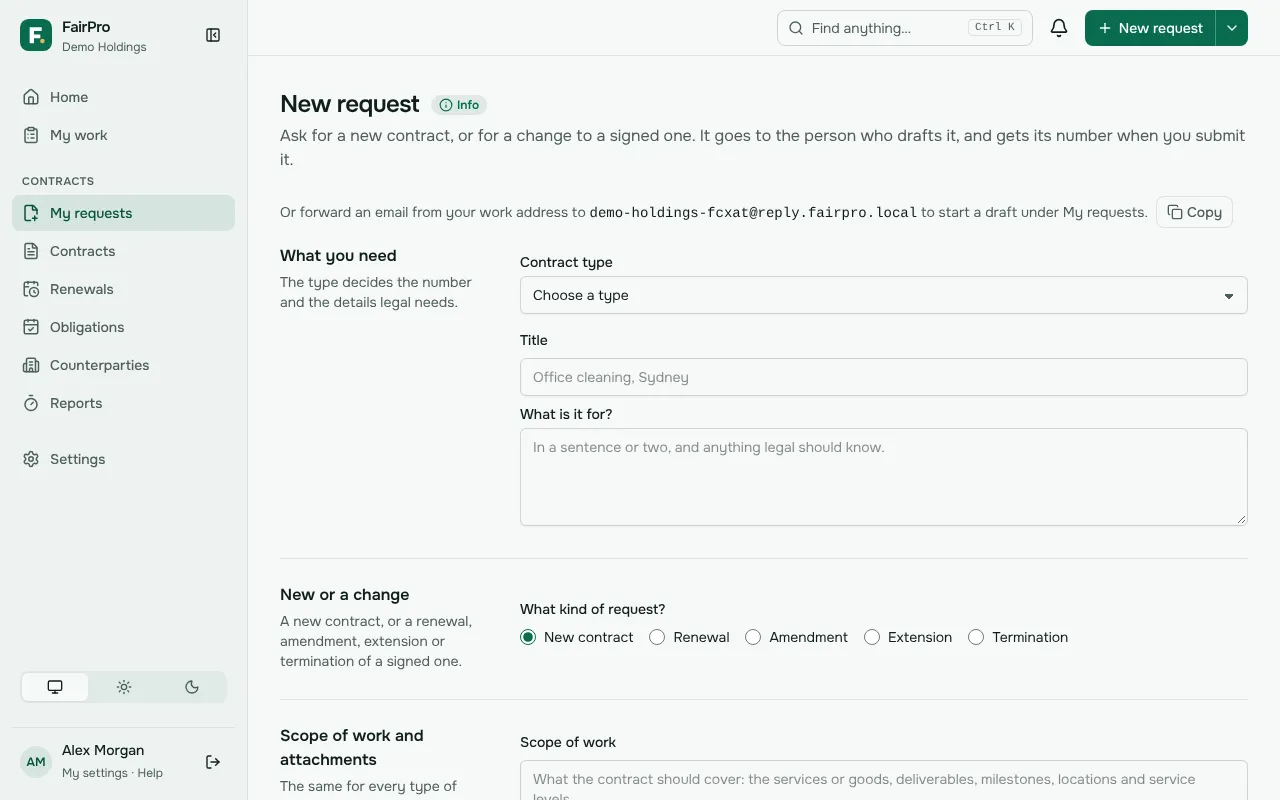
You ask for a contract with a request, and it goes to the person who drafts it. Go to Requests and choose New request. If you don’t see Requests in the menu, none of your roles lets you ask for contracts. Ask an administrator.
Fill in the form
- Under What you need, choose the Contract type. Give the request a Title and say in a sentence or two in What is it for? what the contract is for.
- Under New or a change, keep New contract. The same form asks for a renewal, amendment, extension or termination of a signed contract.
- Under Who it is with, choose Our company and, if it applies, the Business unit.
- Choose the Counterparty: Already in the register, A new counterparty or Not known yet. If it is not known yet, the person drafting adds it. It is needed before the contract leaves Drafting.
- Under Value and dates, your best estimate is enough. Need signed by is when the business needs it signed.
- Under How it should start, choose how the first draft is made. From one of our templates shows only when your organisation has published templates, and you see only those for the type and company you chose.
- Under Who looks after it, choose the Contract owner. Leave it as Me if it is you.
Choose who drafts it
Under Who drafts it, two choices decide who works on the request.
- Assign to is required. It lists the people who can edit contracts, each with their email. The person you choose gets the request as soon as you send it.
- If that person may not edit a contract of this company, type and value, FairPro tells you when you send it. Choose someone else.
- Copy in (optional) lets you add up to 20 people. They can see the contract and follow it, but nothing waits on them. Hold Ctrl or Cmd to choose more than one.
A request to change a signed contract has no Assign to. It waits in a queue for your contract managers.
Give the scope, attach files and answer the checklist
A new contract needs its scope of work: what the services or goods are, deliverables, milestones and service levels. Under Scope of work and attachments, give it in either way, or both.
- Type it in the Scope of work box, up to 20,000 characters.
- Or drop files on Scope of work files, or choose them. PDF, Word, a saved email or a photo all work.
The person drafting, the approvers and the AI that writes a first draft read the written scope, as they read a scope file. It shows on the contract’s page beside its documents.
For a change to a signed contract, the scope is optional and can only be attached. Say what should change in What should change, and why?.
Anything else legal should see goes under Other documents (optional).
- Quotes, emails (.msg or .eml) and photos all work there.
- Each file can be up to 100 MB. Files are checked for viruses.
Before you submit appears only when your organisation has turned the checklist on for this contract type. Answer each item. Documents already on the counterparty’s record count, but an expired one does not. A required item that is not met holds back Assign, and the form lists what it waits for.
Save a draft or send it
- To finish later, choose Save as draft. It keeps what you typed and the files you attached. Only you see it.
- Open it again from Drafts on Requests, on any device. Choose Delete to remove a draft you no longer need.
- When the form is complete, choose Assign. For a change to a signed contract the button reads Submit request.
What happens next
The request goes straight to Drafting with the person you chose, and they are told. FairPro shows the request number, who has it and when to expect a response. Use that number when you ask about it.
On Requests you can see each request’s stage, its step, who has it and when they are due to act. Due times count your organisation’s working hours.
The person who has it may hand it to a colleague. The team’s comments on it are internal: you read them only if someone invites you to work on the contract.
You always see the contracts you asked for, through drafting, approval, signing and after, even when someone else becomes the owner.
- On Contracts, choose Requested by me to list them. Mine lists the contracts you own.
- FairPro tells you when your request comes back to you, moves to another stage, goes out for signature, is signed, or is put on hold or resumed. You don’t get a notice for something you did yourself.
- To get these once a day instead, change Updates on your requests in My settings.
If it comes back to you
Someone working on it, by default a contract manager, can return the request to you with a reason. It then shows as Returned to you on Requests and in My work.
- Open the request and read the reason in the workflow card.
- Do what the reason asks. If it isn’t clear, talk to the person who returned it.
- Choose Send it again. It goes back to the same person under the same number.